Die weltweit erste Anwendung, die verhindert, dass dein Mac Dock ohne Systemänderungen zwischen Displays springt.
Fixiere das Dock auf deinem bevorzugten Bildschirm, halte es bei Bildschirmfreigaben stabil und verlasse dich nach dem Aufwachen, bei Displaywechseln und Verbindungsereignissen auf intelligentes Verhalten.
Kompatibel mit OS X Mavericks 10.9 und neuer, als kleiner Protest dagegen, wie lange dieses Problem schon existiert. DockLock löst das Dock Sprungproblem für jede betroffene macOS Generation.
Wenn du den Zeiger suchst, bewegst du die Maus instinktiv, bis du ihn findest. Auf einem Mac mit mehreren Displays kann diese schnelle Suche die untere Kante eines anderen Bildschirms berühren und das Dock auf das falsche Display verschieben.
Du musst deine Arbeit unterbrechen und das Dock zurückholen.
macOS ändert die Fenstergröße auf dem betroffenen Display, um Platz für das Dock zu schaffen.
Fensterlayouts mit voller Höhe müssen oft erneut manuell angepasst werden.
✓Die Lösung
DockLock läuft dauerhaft im Hintergrund, um die Dock Platzierung zu schützen. Es erkennt Aufwachvorgänge, Displaywechsel und Verbindungsereignisse und verschiebt das Dock automatisch zurück auf den Bildschirm, auf dem du es erwartest.
Automatische Dock Rückverschiebung nach dem Aufwachen oder Displaywechseln.
Keine Systemdatei Patches und keine SIP Änderungen.
Datenschutzorientiertes Design mit lokalen Einstellungen.
Bedienungshilfen Zugriff wird nur für Dock Verwaltung verwendet.
Wähle deine Dock Kontrollstufe
Lite ist fokussiert und vollständig in der Sandbox isoliert. Plus ergänzt Automatisierung und eine dauerhafte Lizenz. Pro ist die kommende Nur-Website-Ausgabe für Dock Platzierung außerhalb der App Store Grenzen.
Nach dem Ende der DockLock Lite Testphase bleibt die grundlegende Dock Sperre kostenlos. Modifikatortasten-Kürzel, Entfernen des Dock Symbols und Ausblenden des Menüleistensymbols sind kostenpflichtige Erweiterungen.
Eine fokussierte Edition mit 7 Tagen Volltest, ohne Kreditkarte. Danach bleibt die grundlegende Dock Sperre kostenlos. Modifikatortasten-Kürzel, Entfernen des Dock Symbols und Ausblenden des Menüleistensymbols erfordern die kostenpflichtige Erweiterung.
Kern bleibt nach Test kostenlosBezahltes Modifikatortasten-KürzelBezahltes SymbolausblendenmacOS 10.9 oder neuer
Für fortgeschrittene Nutzer. Automatisierung. Dauerhafte Lizenz.
Eine dauerhafte Lizenz für fortgeschrittene Nutzer, die Automatisierung möchten. Ergänzt Apple Kurzbefehle, URL-Schema-Steuerung, Befehlszeilen-Unterstützung, Raycast und intelligenteres Dock Verhalten.
Dauerhafte LizenzApple KurzbefehlemacOS 10.9 oder neuer
Schaltet Dock Platzierung außerhalb der App Store Grenzen frei.
Die kommende Nur-Website-Ausgabe für Platzierung außerhalb der App Store Grenzen. Verschiebe seitliche Docks, schalte versteckte Layouts frei und kontrolliere, wo das Dock leben darf.
Dock Position freischaltenNur-Website-AusgabemacOS 10.9 oder neuer
Alle DockLock Editionen haben dasselbe Ziel, dein Dock dort zu halten, wo du es erwartest. Die richtige Wahl hängt davon ab, wie viel Automatisierung und Platzierungsfreiheit deine Konfiguration braucht.
Dock bei Meetings oder Bildschirmfreigaben ausblenden
Ja
Ja
Ja
Festlegen, welche Monitore Dock Bewegung erlauben
Ja
Ja
Ja
Nach Aufwachen und Displaywechsel automatisch zurücksetzen
Ja
Ja
Ja
Modifikatortasten-Kürzel zum temporären Verschieben des Docks
Kostenpflichtig
Ja
Ja
Dock Symbol entfernen
Kostenpflichtig
Ja
Ja
Menüleistensymbol ausblenden
Kostenpflichtig
Ja
Ja
Mac App Store Familienfreigabe
Ja
Ja
-
Vollständig in der Sandbox isolierte Mac App Store Version
Ja
Ja
-
Dock folgt Maus, aktivem Fenster oder Anwendungen
-
Ja
Ja
Apple Kurzbefehle und Siri Steuerung
-
Ja
Ja
URL-Schema-Automatisierung
-
Ja
Ja
Befehlszeilen Schnittstelle
-
Ja
Ja
Offizielle Raycast Erweiterung
-
Ja
Ja
Dock an jeder Bildschirmkante platzieren
-
-
Ja
Vertikales Dock zwischen Displays verschieben
-
-
Ja
Funktioniert ohne separate Spaces für Displays
-
-
Ja
Freien Platz um das Dock für Fenster freischalten
-
-
Ja
DockLock Pro schaltet frei, was macOS versteckt
Der Pro Prototyp geht über das Sperren hinaus. Er steuert das echte macOS Dock zur Laufzeit, unterstützt seitliche Positionen, kann ein vertikales Dock auf jedes Display verschieben und freien Platz um das Dock für Fenster freischalten. Er schreibt keine dauerhafte Systemkonfiguration und erfordert kein Deaktivieren von SIP.
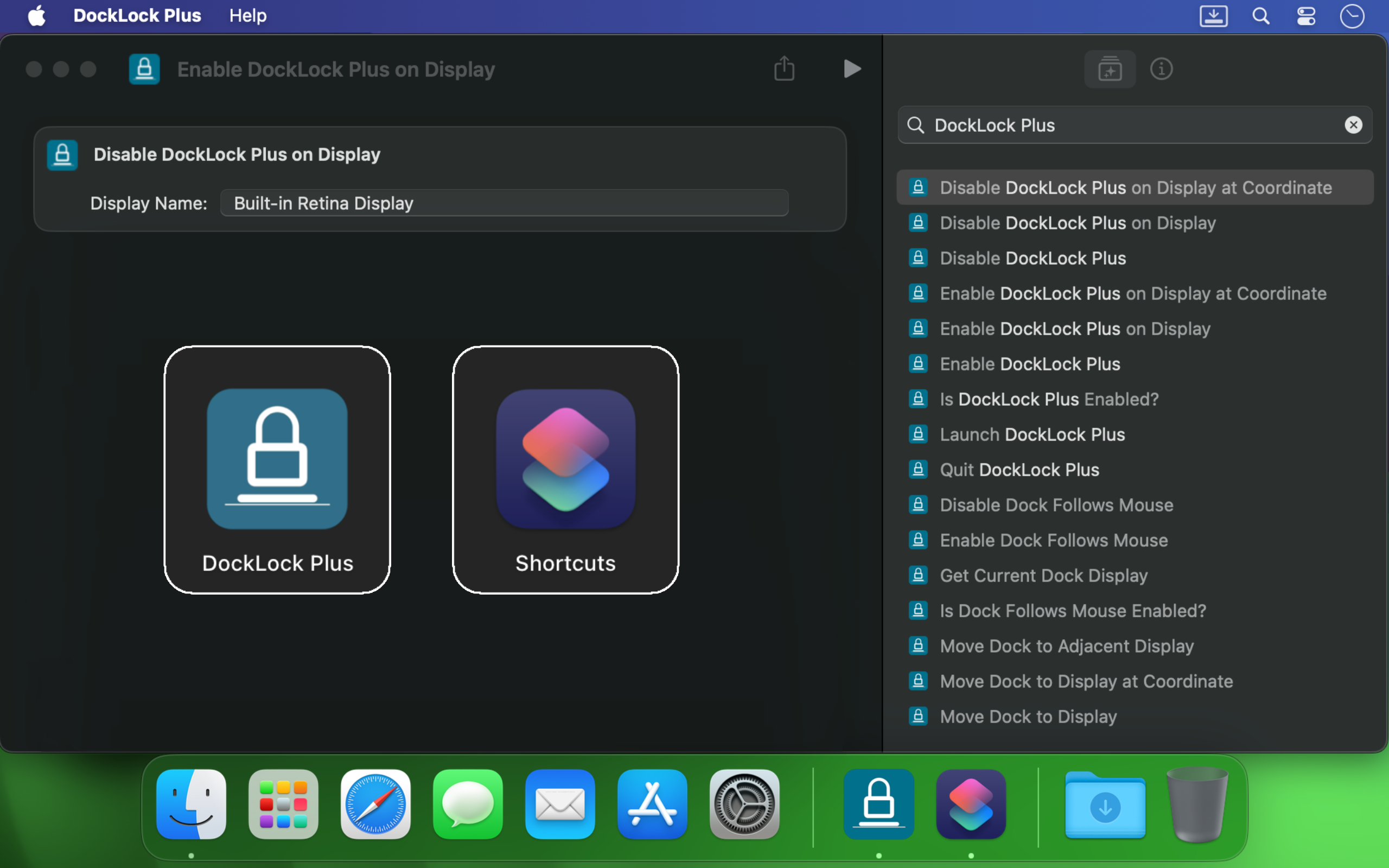
DockLock Plus integriert sich mit Apple Kurzbefehlen, URL-Schema-Aufrufen, Terminal-Skripten, Siri und Raycast, damit dein Dock dem Arbeitsablauf folgt, statt ihn zu unterbrechen.
Wenn du mehrere Monitore am Mac nutzt, kann das Dock springen, sobald der Cursor eine andere Bildschirmkante berührt. DockLock ist kein einmaliger Trick. Es ist ein Hintergrunddienst, der die Dock Stabilität dauerhaft professionell schützt.
Es hilft Entwicklern, Designern, Präsentierenden, Streamern und allen, die beim Wechsel zwischen Bildschirmen einen stabilen Desktop möchten.
Von einem Indie Entwickler gebaut
DockLock entstand nach Monaten der Recherche zu einem Problem ohne echte Alternative. Es ist eine Anwendung der ersten Art, gebaut, weil das benötigte Werkzeug nicht existierte.
DockLock ist das Ergebnis von über 900 Stunden Solo Reverse Engineering, Entwicklung und Tests von Ihor July. Jeder Kauf unterstützt Wartung, zukünftige macOS Kompatibilität und originelle Werkzeuge, die Apple nicht gebaut hat.
Mein Fokus liegt auf originellen macOS Dienstprogrammen, nicht auf Kopien. Unterstützung für DockLock finanziert mehr Anwendungen der ersten Art. Unterstützung für Arbeit, die kopiert statt erfindet, erzeugt nur mehr Kopien.
DockLock Anwendungen sind für Leistung in nativem C++ gebaut, halten Einstellungen lokal und machen in den Mac App Store Ausgaben keine Hintergrund Netzwerkanfragen.
Mac App Store Bewertungen
Nutzer kaufen DockLock, weil das Problem real, alt und auf modernen Macs mit mehreren Displays weiterhin störend ist.
★★★★★
We need more indy developers like this
Hands down, one of the best utilities that I came across for MacOS. First thing I install on a new Mac.
★★★★★
2 screens and no hassle.
I run a MBP with an external screen and I was tired of constantly fighting with the dock settings… This app made it invisible !
★★★★★
This is game changer
I'm multi display user and that jumping dock was bothering me since begining of my mac journey. I was forced to use dock on the side which i'm not a fan of because it's far away to the left on my setup and can't fit that much icons as horizontal bottom dock. So thanks to this app I can finally use dock on the bottom, after 8 years of struggle and hoping for fix on every macos release each year. Thank you very much!
★★★★★
Great value considering how much time it saves. Highly recommended!
I've been using dual (and sometimes triple) monitors with macOS for years, and the Dock constantly jumping to whichever screen I brushed the bottom edge of was a real productivity killer. Since I installed DockLock Lite, that annoyance is gone: the Dock stays exactly where I set it on my preferred screen, even when I'm juggling full‑screen apps and screen sharing...
The dev is quick to respond to feedback and has already fixed some stability bugs in recent updates.
★★★★★
Perfect while sharing a monitor
I like this app especially when using Teams and sharing my second monitor 1) People don't get to see the dock 2) They also don't see - while I Command-Tab - the apps I have open
★★★★★
Finally, a solution to one of the most annoying things on MacOS!
If you use a Mac with multiple monitors, DockLock Plus is the essential app you never knew you needed. For years, macOS users have struggled with the Dock unpredictably jumping between screens-a persistent annoyance that Apple never addressed. DockLock Plus finally delivers the seamless, frustration-free multi-monitor experience professionals have been waiting for.
★★★★★
Exceptional tool for an annoying problem
At first glance it might seem that the app pricing is a bit high for "just" keeping the dock locked until you realize that 1. Apple has not fixed this in years. 2. If you have multiple monitors your productivity exceeds the cost of the app. Fantastic tool, does what it advertises and the developer is super responsive and very very helpful.
★★★★★
Do you struggle with your Dock staying put?
Do you struggle with your Dock staying put? If the answer is no, this app isn't for you. But if you've contracted a case of multiple monitors, beware: You're at risk to experience Apple's most hateful "feature", how the Dock hurdles itself to another display the moment your mouse innocently brushes the bottom of another screen like an overeager golden retriever chasing a ball. It's annoying. It's disruptive. It's like macOS is personally attempting to sabotage your carefully arranged windows just to watch your productivity suffer. Thankfully, DockLock Plus has solved this. And for a not unreasonable amount of money, ether. Just buy it. Your windows stay arranged, your workflow stays intact, and you'll have a shred more sanity.
★★★★★
Works perfectly as described
I was searching for something like this for a long time hoping every year Apple would provide this feature out of the box in the new OS but I was disappointed. Until I found this. No more annoying unintended dock appearances on other screens. My favorite part is once you hide the menu bar icon and remove icon from dock, and enable at startup, you simply would never know if something like this exists. Works like a charm
★★★★★
Much Needed Solution to Nuisance Issue
This solves one of those "Why isn't this a native feature of MacOS?" issues. I use a 3 monitor setup...2 large monitors side by side, plus my MBP display below. My dock was having an identity crisis deciding where to live. I wanted it on a specific monitor and not be vertical. I tried various suggestions found online, but this app did what fiddling around with settings couldn't. An elegant solution with plenty of configuration options. I can now force the dock to stay on one specific monitor, or I can allow it to bounce between just the external monitors while avoiding the build in display, or various other combinations. Thank you!
★★★★★
Fantastic!
Works as advertised! I've been trying to fix this problem for so long. Just a note, this works for docking stations too. Not sure if that's clearly stated anywhere. My docking station uses a DisplayLink driver and it all still works. Bravo!
★★★★★
Finally the dock works as it should!
So many years waiting for Apple to fix this. Now I can finally rest the dock on the bottom of my laptop's screen without it moving to the external screen, which happens frequently when placing the dock at the bottom and using the external screen on top of the smaller one (which is the best way to use it, IMHO, when you want to use both a small one from the laptop and a big one). This paid version allows dockLock to work with the dock hidden, which is also my preferred way to use it - but so impractical when we couldn't prevent it to be moved to the external screen. Works like a charm.
★★★★★
Best quality of life app EVER!
It blows my mind that this is not something that is natively able to be done on via the Mac's internal interface. However, this app is the BEST! A lot of the software I am using requires my mouse to be almost at the bottom of the screen, which would always cause the Dock to jump in the way of what I was working on. I love that I can set it on the single screen that I want it on (out of the 4 monitors I am using) and it no longer gets in the way. My productivity has increased. Everyone who has a Mac needs this app!
★★★★★
Every single Mac should automatically come with this app pre-installed
The Mac Dock's random jumping between screens has been a persistent source of frustration for countless macOS users over the years. It occurs frequently, disrupting focus and productivity during work. Despite numerous complaints, Apple has consistently disregarded customer feedback. To address this issue, Apple should acquire DockLock, ensuring its pre-installation on every Mac. DockLock is not a luxury but a necessity, and its inclusion would significantly enhance the user experience.
★★★★★
Hurrah!
Working with two monitors just got so much better! No more accidentally moving the cursor to the bottom of the second screen and watching the Dock unexpectedly jump over. The bottom edge of my secondary screen is no longer a danger zone 😂. At the same time, if I do want to move the Dock, I can do it easily with a special key, or even lock it to the secondary monitor if that's what I prefer. Finally, I feel in control! 💪
★★★★★
Work very well
My setup is 2-monitor vertically stacked: main 5K monitor and an iPad Pro 13 just below it, with wired sidecar. The jumping dock has always been a nuisance. With this App, the dock stays on main monitor when sidecar is off, and stays on sidecar iPad as soon as I connect it. Perfect. Immediately bought the plus version. Well done!
★★★★★
Indispensable
This is a small and really nice utility. If you work with multiple monitors, you tend to keep your Dock at the bottom of the screen. MacOS has this unnerving feature that, once you hit the bottom part of any screen with the mouse, it will move the Dock to that screen. This utility will stop MacOS from doing that every time. I waited a long time for a utility like this! Thumbs up!!
★★★★★
Finally we have a solution!
After years of struggling with this issue specially during screen sharing where the dock would just pop up when hovering over screen bottom, I am happy to say we have a fix in the form of DockLock. I had written feedback to apple numerous times on how annoying this was & they should fix it.
Weitere datenschutzorientierte macOS Anwendungen
DockLock gehört zu einer kleinen Familie praktischer Mac Werkzeuge, gebaut rund um lokale Kontrolle, klare Sprache und keine unnötigen Hintergrunddienste.
Lies wichtige Hinweise vor dem Kauf, erhalte Hilfe zu deiner Display Anordnung oder kontaktiere die Hilfe direkt mit macOS Version und Reproduktionsdetails.