La primera aplicación del mundo que evita que el Dock del Mac salte entre pantallas sin modificar el sistema.
Bloquea el Dock en tu pantalla preferida, mantenlo estable durante reuniones y usa comportamiento inteligente después de despertar, cambios de pantalla y eventos de conexión.
Compatible con OS X Mavericks 10.9 y versiones posteriores como pequeña protesta por lo antiguo que es este problema. DockLock resuelve el salto del Dock en todas las generaciones de macOS afectadas.
Cuando pierdes de vista el puntero, lo natural es mover el mouse hasta encontrarlo. En un Mac con varias pantallas, esa búsqueda rápida puede tocar el borde inferior de otra pantalla y mover el Dock al monitor equivocado.
Tienes que parar lo que estás haciendo y devolver el Dock.
macOS redimensiona las ventanas en la pantalla afectada para dejar espacio al Dock.
Los diseños de ventanas a altura completa suelen tener que reajustarse manualmente.
✓La solución
DockLock se ejecuta continuamente en segundo plano para proteger la ubicación del Dock. Detecta despertares, cambios de pantalla y eventos de conexión, y reubica automáticamente el Dock en la pantalla que tu flujo de trabajo espera.
Reubicación automática del Dock después de despertar o cambiar pantallas.
Sin parches de archivos del sistema y sin cambios de SIP.
Diseño centrado en privacidad con ajustes locales.
El acceso de Accesibilidad solo se usa para administrar el Dock.
Elige tu nivel de control del Dock
Lite es enfocada y totalmente aislada en un entorno seguro. Plus añade automatización y una licencia de por vida. Pro será la edición del sitio web para colocar el Dock más allá de los límites del App Store.
Cuando termina la prueba de DockLock Lite, el bloqueo básico del Dock sigue siendo gratis. La tecla modificadora, quitar el icono del Dock y ocultar el icono de la barra de menús son funciones de pago.
DockLock Lite
Simple. Enfocada. Las funciones base siguen gratis.
Una edición enfocada con prueba completa de 7 días, sin tarjeta. Después, el bloqueo básico del Dock sigue gratis. La tecla modificadora, quitar el icono del Dock y ocultar el icono de la barra de menús requieren la mejora de pago.
Base gratis tras la pruebaTecla modificadora de pagoOcultar iconos de pagomacOS 10.9 o posterior
Usuarios avanzados. Automatización. Licencia de por vida.
Una licencia de por vida para usuarios avanzados que quieren automatización. Añade Atajos de Apple, control por esquema de URL, interfaz de línea de comandos, Raycast y comportamiento de Dock más inteligente.
Licencia de por vidaAtajos de ApplemacOS 10.9 o posterior
Desbloquea ubicación del Dock fuera de los límites del App Store.
La próxima edición de sitio web para ubicación más allá de los límites del App Store. Mueve Docks laterales, desbloquea diseños ocultos y controla dónde puede vivir el Dock.
Desbloquea posición del DockEdición del sitio webmacOS 10.9 o posterior
Todas las ediciones de DockLock comparten el objetivo de mantener tu Dock donde esperas. La mejor opción depende de cuánta automatización y libertad de ubicación necesite tu configuración.
Ocultar Dock durante reuniones o pantalla compartida
Sí
Sí
Sí
Definir qué monitores permiten mover el Dock
Sí
Sí
Sí
Reubicar automáticamente tras despertar y cambios de pantalla
Sí
Sí
Sí
Tecla modificadora para mover temporalmente el Dock
Pago
Sí
Sí
Quitar el icono del Dock
Pago
Sí
Sí
Ocultar el icono de la barra de menús
Pago
Sí
Sí
Compartir en familia de Mac App Store
Sí
Sí
-
Versión Mac App Store totalmente aislada en un entorno seguro
Sí
Sí
-
Dock sigue al mouse, ventana activa o aplicaciones
-
Sí
Sí
Control con Atajos de Apple y Siri
-
Sí
Sí
Automatización por esquema de URL
-
Sí
Sí
Interfaz de línea de comandos
-
Sí
Sí
Extensión oficial de Raycast
-
Sí
Sí
Colocar Dock en cualquier borde
-
-
Sí
Mover Dock vertical entre pantallas
-
-
Sí
Funciona sin Spaces separados para pantallas
-
-
Sí
Liberar espacio alrededor del Dock para ventanas
-
-
Sí
DockLock Pro desbloquea lo que macOS oculta
El prototipo Pro va más allá de bloquear. Controla el Dock real de macOS en tiempo de ejecución, admite posiciones laterales, puede mover un Dock vertical a cualquier pantalla y libera espacio alrededor del Dock para ventanas. No escribe configuración persistente del sistema y no requiere desactivar SIP.
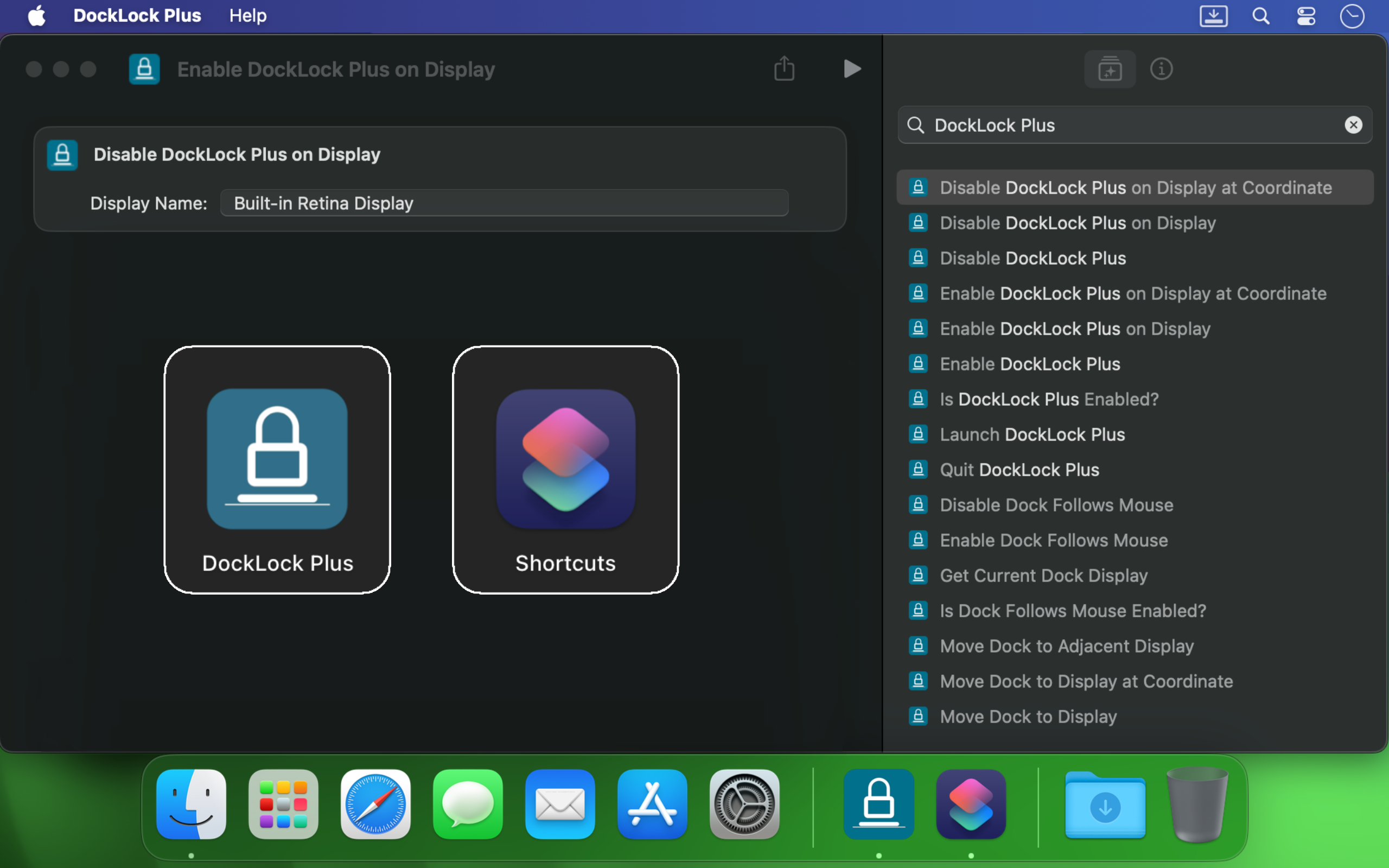
DockLock Plus se integra con Atajos de Apple, llamadas de esquema de URL, scripts de Terminal, Siri y Raycast para que el Dock siga tu flujo en vez de interrumpirlo.
Si usas varios monitores en un Mac, el Dock puede saltar en cuanto el cursor toca el borde de otra pantalla. DockLock no es un ajuste puntual. Es un servicio en segundo plano que protege continuamente la estabilidad del Dock con fiabilidad profesional.
Es útil para desarrolladores, diseñadores, presentadores, creadores de transmisiones y cualquiera que quiera un escritorio estable al moverse entre pantallas.
Creado por un desarrollador independiente
DockLock nació tras meses de investigación de un problema sin alternativa real. Es una aplicación pionera en su tipo, creada porque la herramienta que necesitaba no existía.
DockLock es el resultado de más de 900 horas de ingeniería inversa, desarrollo y pruebas en solitario por Ihor July. Cada compra apoya mantenimiento, compatibilidad futura con macOS y herramientas originales que Apple no construyó.
Mi enfoque son utilidades originales para macOS, no copias. Apoyar DockLock ayuda a financiar más aplicaciones primeras en su tipo. Apoyar trabajo que copia en vez de inventar solo crea más copias.
Las aplicaciones DockLock están hechas en C++ nativo para rendimiento, guardan ajustes localmente y no hacen solicitudes de red en segundo plano en las ediciones Mac App Store.
Reseñas de Mac App Store
Los usuarios compraron DockLock porque el problema es real, antiguo y sigue interrumpiendo Macs modernos con varias pantallas.
★★★★★
We need more indy developers like this
Hands down, one of the best utilities that I came across for MacOS. First thing I install on a new Mac.
★★★★★
2 screens and no hassle.
I run a MBP with an external screen and I was tired of constantly fighting with the dock settings… This app made it invisible !
★★★★★
This is game changer
I'm multi display user and that jumping dock was bothering me since begining of my mac journey. I was forced to use dock on the side which i'm not a fan of because it's far away to the left on my setup and can't fit that much icons as horizontal bottom dock. So thanks to this app I can finally use dock on the bottom, after 8 years of struggle and hoping for fix on every macos release each year. Thank you very much!
★★★★★
Great value considering how much time it saves. Highly recommended!
I've been using dual (and sometimes triple) monitors with macOS for years, and the Dock constantly jumping to whichever screen I brushed the bottom edge of was a real productivity killer. Since I installed DockLock Lite, that annoyance is gone: the Dock stays exactly where I set it on my preferred screen, even when I'm juggling full‑screen apps and screen sharing...
The dev is quick to respond to feedback and has already fixed some stability bugs in recent updates.
★★★★★
Perfect while sharing a monitor
I like this app especially when using Teams and sharing my second monitor 1) People don't get to see the dock 2) They also don't see - while I Command-Tab - the apps I have open
★★★★★
Finally, a solution to one of the most annoying things on MacOS!
If you use a Mac with multiple monitors, DockLock Plus is the essential app you never knew you needed. For years, macOS users have struggled with the Dock unpredictably jumping between screens-a persistent annoyance that Apple never addressed. DockLock Plus finally delivers the seamless, frustration-free multi-monitor experience professionals have been waiting for.
★★★★★
Exceptional tool for an annoying problem
At first glance it might seem that the app pricing is a bit high for "just" keeping the dock locked until you realize that 1. Apple has not fixed this in years. 2. If you have multiple monitors your productivity exceeds the cost of the app. Fantastic tool, does what it advertises and the developer is super responsive and very very helpful.
★★★★★
Do you struggle with your Dock staying put?
Do you struggle with your Dock staying put? If the answer is no, this app isn't for you. But if you've contracted a case of multiple monitors, beware: You're at risk to experience Apple's most hateful "feature", how the Dock hurdles itself to another display the moment your mouse innocently brushes the bottom of another screen like an overeager golden retriever chasing a ball. It's annoying. It's disruptive. It's like macOS is personally attempting to sabotage your carefully arranged windows just to watch your productivity suffer. Thankfully, DockLock Plus has solved this. And for a not unreasonable amount of money, ether. Just buy it. Your windows stay arranged, your workflow stays intact, and you'll have a shred more sanity.
★★★★★
Works perfectly as described
I was searching for something like this for a long time hoping every year Apple would provide this feature out of the box in the new OS but I was disappointed. Until I found this. No more annoying unintended dock appearances on other screens. My favorite part is once you hide the menu bar icon and remove icon from dock, and enable at startup, you simply would never know if something like this exists. Works like a charm
★★★★★
Much Needed Solution to Nuisance Issue
This solves one of those "Why isn't this a native feature of MacOS?" issues. I use a 3 monitor setup...2 large monitors side by side, plus my MBP display below. My dock was having an identity crisis deciding where to live. I wanted it on a specific monitor and not be vertical. I tried various suggestions found online, but this app did what fiddling around with settings couldn't. An elegant solution with plenty of configuration options. I can now force the dock to stay on one specific monitor, or I can allow it to bounce between just the external monitors while avoiding the build in display, or various other combinations. Thank you!
★★★★★
Fantastic!
Works as advertised! I've been trying to fix this problem for so long. Just a note, this works for docking stations too. Not sure if that's clearly stated anywhere. My docking station uses a DisplayLink driver and it all still works. Bravo!
★★★★★
Finally the dock works as it should!
So many years waiting for Apple to fix this. Now I can finally rest the dock on the bottom of my laptop's screen without it moving to the external screen, which happens frequently when placing the dock at the bottom and using the external screen on top of the smaller one (which is the best way to use it, IMHO, when you want to use both a small one from the laptop and a big one). This paid version allows dockLock to work with the dock hidden, which is also my preferred way to use it - but so impractical when we couldn't prevent it to be moved to the external screen. Works like a charm.
★★★★★
Best quality of life app EVER!
It blows my mind that this is not something that is natively able to be done on via the Mac's internal interface. However, this app is the BEST! A lot of the software I am using requires my mouse to be almost at the bottom of the screen, which would always cause the Dock to jump in the way of what I was working on. I love that I can set it on the single screen that I want it on (out of the 4 monitors I am using) and it no longer gets in the way. My productivity has increased. Everyone who has a Mac needs this app!
★★★★★
Every single Mac should automatically come with this app pre-installed
The Mac Dock's random jumping between screens has been a persistent source of frustration for countless macOS users over the years. It occurs frequently, disrupting focus and productivity during work. Despite numerous complaints, Apple has consistently disregarded customer feedback. To address this issue, Apple should acquire DockLock, ensuring its pre-installation on every Mac. DockLock is not a luxury but a necessity, and its inclusion would significantly enhance the user experience.
★★★★★
Hurrah!
Working with two monitors just got so much better! No more accidentally moving the cursor to the bottom of the second screen and watching the Dock unexpectedly jump over. The bottom edge of my secondary screen is no longer a danger zone 😂. At the same time, if I do want to move the Dock, I can do it easily with a special key, or even lock it to the secondary monitor if that's what I prefer. Finally, I feel in control! 💪
★★★★★
Work very well
My setup is 2-monitor vertically stacked: main 5K monitor and an iPad Pro 13 just below it, with wired sidecar. The jumping dock has always been a nuisance. With this App, the dock stays on main monitor when sidecar is off, and stays on sidecar iPad as soon as I connect it. Perfect. Immediately bought the plus version. Well done!
★★★★★
Indispensable
This is a small and really nice utility. If you work with multiple monitors, you tend to keep your Dock at the bottom of the screen. MacOS has this unnerving feature that, once you hit the bottom part of any screen with the mouse, it will move the Dock to that screen. This utility will stop MacOS from doing that every time. I waited a long time for a utility like this! Thumbs up!!
★★★★★
Finally we have a solution!
After years of struggling with this issue specially during screen sharing where the dock would just pop up when hovering over screen bottom, I am happy to say we have a fix in the form of DockLock. I had written feedback to apple numerous times on how annoying this was & they should fix it.
Más aplicaciones de macOS centradas en privacidad
DockLock forma parte de una pequeña familia de utilidades Mac prácticas creadas alrededor de control local, lenguaje claro y sin servicios innecesarios en segundo plano.
Lee notas importantes antes de comprar, recibe ayuda con tu disposición de pantallas o contacta soporte con versión de macOS y detalles de reproducción.