DockLock Lite
단순함. 집중. 핵심 기능은 계속 무료.
신용카드 없이 7일 전체 체험을 제공하는 집중형 에디션입니다. 체험 후에도 핵심 Dock 잠금은 무료입니다. 수정키 핫키, Dock 아이콘 제거, 메뉴 막대 아이콘 숨김은 유료 업그레이드가 필요합니다.
체험 후 핵심 무료유료 수정키 핫키유료 아이콘 숨김macOS 10.9 이상
Mac App Store에서 받기  DockLock Pro
 시스템을 수정하지 않고 Mac Dock이 디스플레이 사이를 이동하지 않게 막는 세계 최초의 앱입니다.
Dock을 원하는 화면에 고정하고, 화면 공유 중에도 안정적으로 유지하며, 잠자기 해제, 디스플레이 변경, 연결 이벤트 후에도 똑똑하게 동작하게 하세요.
OS X Mavericks 10.9 이상과 호환됩니다. 이 문제가 얼마나 오래 방치되었는지에 대한 작은 항의이기도 합니다. DockLock은 영향을 받은 모든 macOS 세대에서 Dock 이동 문제를 해결합니다.
포인터를 잃어버리면 자연스럽게 마우스를 움직여 찾게 됩니다. 다중 디스플레이 Mac에서는 이 빠른 움직임이 다른 화면의 아래쪽 가장자리를 건드려 Dock을 원치 않는 화면으로 옮길 수 있습니다.
DockLock은 Dock 위치를 보호하기 위해 백그라운드에서 계속 실행됩니다. 잠자기 해제, 디스플레이 변경, 연결 이벤트를 감지하고 Dock을 워크플로가 기대하는 화면으로 자동으로 되돌립니다.
Lite는 집중적이고 완전히 샌드박스 격리되어 있습니다. Plus는 자동화와 평생 라이선스를 추가합니다. Pro는 App Store 제한을 넘어서는 Dock 배치를 위한 예정된 웹사이트 전용 에디션입니다.
DockLock Lite 체험이 끝난 뒤에도 핵심 Dock 잠금 기능은 무료로 유지됩니다. 수정키 핫키, Dock 아이콘 제거, 메뉴 막대 아이콘 숨김은 유료 업그레이드 기능입니다.
단순함. 집중. 핵심 기능은 계속 무료.
신용카드 없이 7일 전체 체험을 제공하는 집중형 에디션입니다. 체험 후에도 핵심 Dock 잠금은 무료입니다. 수정키 핫키, Dock 아이콘 제거, 메뉴 막대 아이콘 숨김은 유료 업그레이드가 필요합니다.

고급 사용자. 자동화. 평생 라이선스.
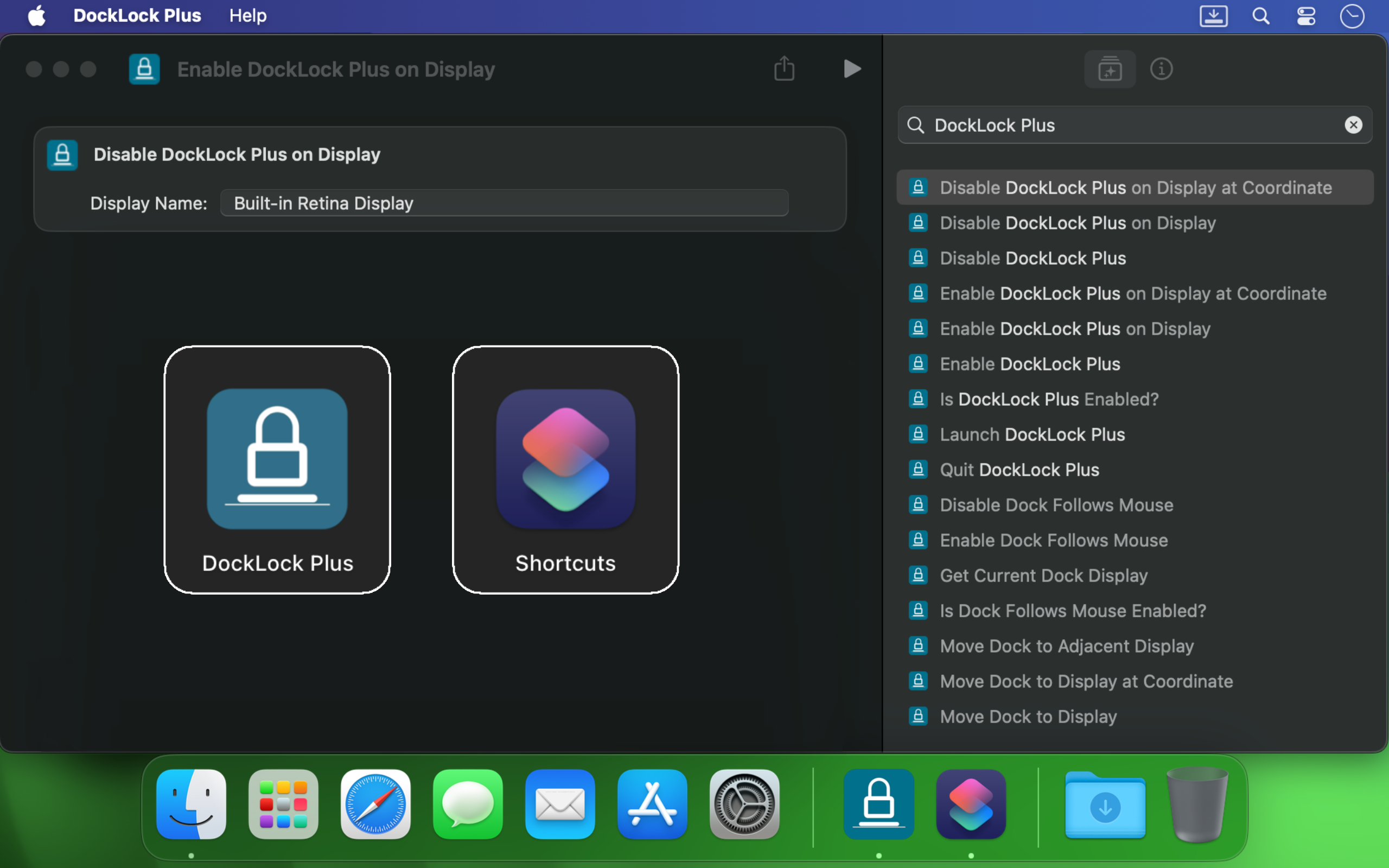
자동화를 원하는 고급 사용자를 위한 평생 라이선스입니다. Apple 단축어, URL 스킴 제어, 명령줄 인터페이스 지원, Raycast, 더 똑똑한 Dock 동작을 추가합니다.
App Store 제한을 넘어 Dock 위치를 해제합니다.
App Store 제한을 넘어서는 배치를 위한 예정된 웹사이트 전용 에디션입니다. 측면 Dock을 이동하고 숨겨진 레이아웃을 열며 Dock이 위치할 수 있는 곳을 제어합니다.
모든 DockLock 에디션의 핵심 목표는 Dock을 원하는 위치에 유지하는 것입니다. 올바른 선택은 필요한 자동화와 배치 자유도에 따라 달라집니다.
자주 묻는 질문 읽기| 기능 | Lite | Plus | Pro |
|---|---|---|---|
| Dock을 선택한 모니터에 고정 | 예 | 예 | 예 |
| 회의 또는 화면 공유 중 Dock 숨기기 | 예 | 예 | 예 |
| Dock 이동을 허용할 모니터 지정 | 예 | 예 | 예 |
| 잠자기 해제와 화면 변경 후 자동 재배치 | 예 | 예 | 예 |
| Dock을 임시로 이동하는 수정키 핫키 | 유료 | 예 | 예 |
| Dock 아이콘 제거 | 유료 | 예 | 예 |
| 메뉴 막대 아이콘 숨기기 | 유료 | 예 | 예 |
| Mac App Store 가족 공유 | 예 | 예 | - |
| 완전히 샌드박스 격리된 Mac App Store 버전 | 예 | 예 | - |
| Dock이 마우스, 활성 창 또는 앱을 따름 | - | 예 | 예 |
| Apple 단축어 및 Siri 제어 | - | 예 | 예 |
| URL 스킴 자동화 | - | 예 | 예 |
| 명령줄 인터페이스 | - | 예 | 예 |
| 공식 Raycast 확장 | - | 예 | 예 |
| 어떤 화면 가장자리에도 Dock 배치 | - | - | 예 |
| 수직 Dock을 디스플레이 사이로 이동 | - | - | 예 |
| 디스플레이별 Spaces가 꺼져도 동작 | - | - | 예 |
| 창을 위해 Dock 주변 공간 해제 | - | - | 예 |
Pro 프로토타입은 잠금 그 이상입니다. 실행 중 실제 macOS Dock을 제어하고, 측면 위치를 지원하며, 수직 Dock을 어떤 디스플레이로든 옮기고, 창을 위해 Dock 주변 공간을 해제합니다. 지속적인 시스템 설정을 쓰지 않으며 SIP 비활성화가 필요하지 않습니다.
DockLock Plus는 Apple 단축어, URL 스킴 호출, 터미널 스크립트, Siri, Raycast와 통합되어 Dock이 작업 흐름을 방해하지 않고 따라가게 합니다.
Mac에서 여러 모니터를 사용하면 커서가 다른 화면 가장자리에 닿는 순간 Dock이 이동할 수 있습니다. DockLock은 일회성 트릭이 아닙니다. 전문적인 신뢰성으로 Dock 안정성을 지속적으로 보호하는 백그라운드 서비스입니다.
개발자, 디자이너, 발표자, 스트리머, 그리고 화면 사이를 이동하면서 안정적인 데스크톱을 원하는 모든 사람에게 유용합니다.
DockLock은 실제 대안이 없던 문제를 몇 달 동안 연구한 끝에 시작되었습니다. 필요한 도구가 없었기 때문에 만들어진 첫 종류의 앱입니다.
DockLock은 Ihor July가 혼자 900시간 이상 리버스 엔지니어링, 개발, 테스트한 결과입니다. 모든 구매는 유지보수, 향후 macOS 호환성, Apple이 만들지 않은 독창적인 도구를 지원합니다.
저의 초점은 복제가 아니라 독창적인 macOS 유틸리티입니다. DockLock을 지원하면 더 많은 첫 종류의 앱이 나옵니다. 발명하지 않고 복제하는 작업을 지원하면 더 많은 복제만 생깁니다.
DockLock 앱은 성능을 위해 네이티브 C++로 만들어졌고, 설정은 로컬에 보관되며, Mac App Store 에디션에서는 백그라운드 네트워크 요청을 하지 않습니다.
사용자들은 이 문제가 실제이고 오래되었으며 현대적인 다중 디스플레이 Mac에서도 여전히 방해가 되기 때문에 DockLock을 구매했습니다.
Hands down, one of the best utilities that I came across for MacOS. First thing I install on a new Mac.
I run a MBP with an external screen and I was tired of constantly fighting with the dock settings… This app made it invisible !
I'm multi display user and that jumping dock was bothering me since begining of my mac journey. I was forced to use dock on the side which i'm not a fan of because it's far away to the left on my setup and can't fit that much icons as horizontal bottom dock. So thanks to this app I can finally use dock on the bottom, after 8 years of struggle and hoping for fix on every macos release each year. Thank you very much!
I've been using dual (and sometimes triple) monitors with macOS for years, and the Dock constantly jumping to whichever screen I brushed the bottom edge of was a real productivity killer. Since I installed DockLock Lite, that annoyance is gone: the Dock stays exactly where I set it on my preferred screen, even when I'm juggling full‑screen apps and screen sharing... The dev is quick to respond to feedback and has already fixed some stability bugs in recent updates.
I like this app especially when using Teams and sharing my second monitor 1) People don't get to see the dock 2) They also don't see - while I Command-Tab - the apps I have open
If you use a Mac with multiple monitors, DockLock Plus is the essential app you never knew you needed. For years, macOS users have struggled with the Dock unpredictably jumping between screens-a persistent annoyance that Apple never addressed. DockLock Plus finally delivers the seamless, frustration-free multi-monitor experience professionals have been waiting for.
At first glance it might seem that the app pricing is a bit high for "just" keeping the dock locked until you realize that 1. Apple has not fixed this in years. 2. If you have multiple monitors your productivity exceeds the cost of the app. Fantastic tool, does what it advertises and the developer is super responsive and very very helpful.
Do you struggle with your Dock staying put? If the answer is no, this app isn't for you. But if you've contracted a case of multiple monitors, beware: You're at risk to experience Apple's most hateful "feature", how the Dock hurdles itself to another display the moment your mouse innocently brushes the bottom of another screen like an overeager golden retriever chasing a ball. It's annoying. It's disruptive. It's like macOS is personally attempting to sabotage your carefully arranged windows just to watch your productivity suffer. Thankfully, DockLock Plus has solved this. And for a not unreasonable amount of money, ether. Just buy it. Your windows stay arranged, your workflow stays intact, and you'll have a shred more sanity.
I was searching for something like this for a long time hoping every year Apple would provide this feature out of the box in the new OS but I was disappointed. Until I found this. No more annoying unintended dock appearances on other screens. My favorite part is once you hide the menu bar icon and remove icon from dock, and enable at startup, you simply would never know if something like this exists. Works like a charm
This solves one of those "Why isn't this a native feature of MacOS?" issues. I use a 3 monitor setup...2 large monitors side by side, plus my MBP display below. My dock was having an identity crisis deciding where to live. I wanted it on a specific monitor and not be vertical. I tried various suggestions found online, but this app did what fiddling around with settings couldn't. An elegant solution with plenty of configuration options. I can now force the dock to stay on one specific monitor, or I can allow it to bounce between just the external monitors while avoiding the build in display, or various other combinations. Thank you!
Works as advertised! I've been trying to fix this problem for so long. Just a note, this works for docking stations too. Not sure if that's clearly stated anywhere. My docking station uses a DisplayLink driver and it all still works. Bravo!
So many years waiting for Apple to fix this. Now I can finally rest the dock on the bottom of my laptop's screen without it moving to the external screen, which happens frequently when placing the dock at the bottom and using the external screen on top of the smaller one (which is the best way to use it, IMHO, when you want to use both a small one from the laptop and a big one). This paid version allows dockLock to work with the dock hidden, which is also my preferred way to use it - but so impractical when we couldn't prevent it to be moved to the external screen. Works like a charm.
It blows my mind that this is not something that is natively able to be done on via the Mac's internal interface. However, this app is the BEST! A lot of the software I am using requires my mouse to be almost at the bottom of the screen, which would always cause the Dock to jump in the way of what I was working on. I love that I can set it on the single screen that I want it on (out of the 4 monitors I am using) and it no longer gets in the way. My productivity has increased. Everyone who has a Mac needs this app!
The Mac Dock's random jumping between screens has been a persistent source of frustration for countless macOS users over the years. It occurs frequently, disrupting focus and productivity during work. Despite numerous complaints, Apple has consistently disregarded customer feedback. To address this issue, Apple should acquire DockLock, ensuring its pre-installation on every Mac. DockLock is not a luxury but a necessity, and its inclusion would significantly enhance the user experience.
Working with two monitors just got so much better! No more accidentally moving the cursor to the bottom of the second screen and watching the Dock unexpectedly jump over. The bottom edge of my secondary screen is no longer a danger zone 😂. At the same time, if I do want to move the Dock, I can do it easily with a special key, or even lock it to the secondary monitor if that's what I prefer. Finally, I feel in control! 💪
My setup is 2-monitor vertically stacked: main 5K monitor and an iPad Pro 13 just below it, with wired sidecar. The jumping dock has always been a nuisance. With this App, the dock stays on main monitor when sidecar is off, and stays on sidecar iPad as soon as I connect it. Perfect. Immediately bought the plus version. Well done!
This is a small and really nice utility. If you work with multiple monitors, you tend to keep your Dock at the bottom of the screen. MacOS has this unnerving feature that, once you hit the bottom part of any screen with the mouse, it will move the Dock to that screen. This utility will stop MacOS from doing that every time. I waited a long time for a utility like this! Thumbs up!!
After years of struggling with this issue specially during screen sharing where the dock would just pop up when hovering over screen bottom, I am happy to say we have a fix in the form of DockLock. I had written feedback to apple numerous times on how annoying this was & they should fix it.
DockLock은 로컬 제어, 쉬운 설명, 불필요한 백그라운드 서비스 없음이라는 원칙으로 만든 작은 Mac 유틸리티 제품군의 일부입니다.
전용 앱 바로가기를 만들어 각기 다른 데이터 폴더, 프로필, 환경 변수, 명령줄 인자를 가진 완전히 분리된 인스턴스를 실행하세요. 각 바로가리에 선택적 메뉴 아이콘도 추가할 수 있습니다.

Mac 앱을 열기 전에 확인하세요. 서명, 샌드박스 격리, 개인정보 권한, 네트워크 접근, 내부 도우미, 기타 macOS 보안 신호를 Finder Quick Look 확장과 함께 쉬운 말로 설명합니다.

소유자 메모, 자산 라벨, 공유 Mac, 테스트 장비를 위한 일반 텍스트 잠금 화면 메시지를 만드세요. 보이는 메시지와 스크롤 세부 정보를 미리 보고 macOS 시스템 설정에 붙여넣을 텍스트를 복사하세요.
구매 전에 중요 안내를 읽고, 디스플레이 배치 도움을 받거나, macOS 버전과 재현 정보를 포함해 지원팀에 직접 문의하세요.