Перший у світі застосунок, який не дає Dock на Mac стрибати між дисплеями без змін у системі.
Закріпіть Dock на потрібному екрані, тримайте його стабільним під час демонстрації екрана і покладайтеся на розумну поведінку після пробудження, зміни дисплеїв і підключень.
Сумісний з OS X Mavericks 10.9 і новішими версіями як маленький протест проти того, наскільки давно існує ця проблема. DockLock вирішує стрибки Dock для кожного покоління macOS, яке постраждало.
Коли ви загубили курсор, природна реакція це рухати мишу, поки не знайдете його. На Mac з кількома дисплеями такий швидкий пошук може торкнутися нижнього краю іншого екрана і перенести Dock на неправильний дисплей.
Ви мусите зупинити роботу і повернути Dock назад.
macOS змінює розмір вікон на зачепленому дисплеї, щоб звільнити місце для Dock.
Вікна на повну висоту часто доводиться вручну налаштовувати знову.
✓Рішення
DockLock постійно працює у фоні, щоб захищати розміщення Dock. Він визначає пробудження, зміни дисплеїв і події підключення, а потім автоматично повертає Dock на екран, якого очікує ваш робочий процес.
Автоматичне повернення Dock після пробудження або зміни екранів.
Без патчів системних файлів і без змін SIP.
Дизайн з пріоритетом приватності і локальними налаштуваннями.
Доступність використовується лише для керування Dock.
Оберіть рівень керування Dock
Lite сфокусований і повністю ізольований у пісочниці. Plus додає автоматизацію і довічну ліцензію. Pro це майбутня версія з сайту для розміщення Dock поза межами App Store.
Після завершення пробного періоду DockLock Lite базове блокування Dock залишається безкоштовним. Модифікаторна клавіша, видалення іконки Dock і приховування іконки меню це платні функції.
DockLock Lite
Простий. Сфокусований. Основні функції залишаються безкоштовними.
Сфокусована версія з повним 7-денним пробним періодом без кредитної картки. Після цього базове блокування Dock залишається безкоштовним. Модифікаторна клавіша, видалення іконки Dock і приховування іконки меню потребують платного оновлення.
База безкоштовна після пробиПлатна модифікаторна клавішаПлатне приховування іконокmacOS 10.9 або новіша
Для досвідчених користувачів. Автоматизація. Довічна ліцензія.
Довічна ліцензія для досвідчених користувачів, яким потрібна автоматизація. Додає Apple Команди, керування URL-схемою, інтерфейс командного рядка, Raycast і розумнішу поведінку Dock.
Довічна ліцензіяApple КомандиmacOS 10.9 або новіша
Усі версії DockLock мають спільну мету, тримати Dock там, де ви його очікуєте. Правильний вибір залежить від того, скільки автоматизації і свободи розміщення потрібно вашій конфігурації.
Ховати Dock під час зустрічей або демонстрації екрана
Так
Так
Так
Визначати, які монітори дозволяють рух Dock
Так
Так
Так
Автоматично повертати після пробудження і змін екрана
Так
Так
Так
Модифікаторна клавіша для тимчасового переміщення Dock
Платно
Так
Так
Видалити іконку Dock
Платно
Так
Так
Приховати іконку в рядку меню
Платно
Так
Так
Сімейний доступ Mac App Store
Так
Так
-
Повністю ізольована у пісочниці версія Mac App Store
Так
Так
-
Dock слідує за мишею, активним вікном або застосунками
-
Так
Так
Керування Apple Командами і Siri
-
Так
Так
Автоматизація URL-схемою
-
Так
Так
Інтерфейс командного рядка
-
Так
Так
Офіційне розширення Raycast
-
Так
Так
Розміщення Dock на будь-якому краю екрана
-
-
Так
Переміщення вертикального Dock між дисплеями
-
-
Так
Працює без окремих Spaces для дисплеїв
-
-
Так
Звільнення місця навколо Dock для вікон
-
-
Так
DockLock Pro відкриває те, що macOS ховає
Прототип Pro виходить за межі блокування. Він керує справжнім macOS Dock під час роботи, підтримує бокові позиції, може переміщати вертикальний Dock на будь-який дисплей і звільняє місце навколо Dock для вікон. Він не записує постійну системну конфігурацію і не потребує вимкнення SIP.
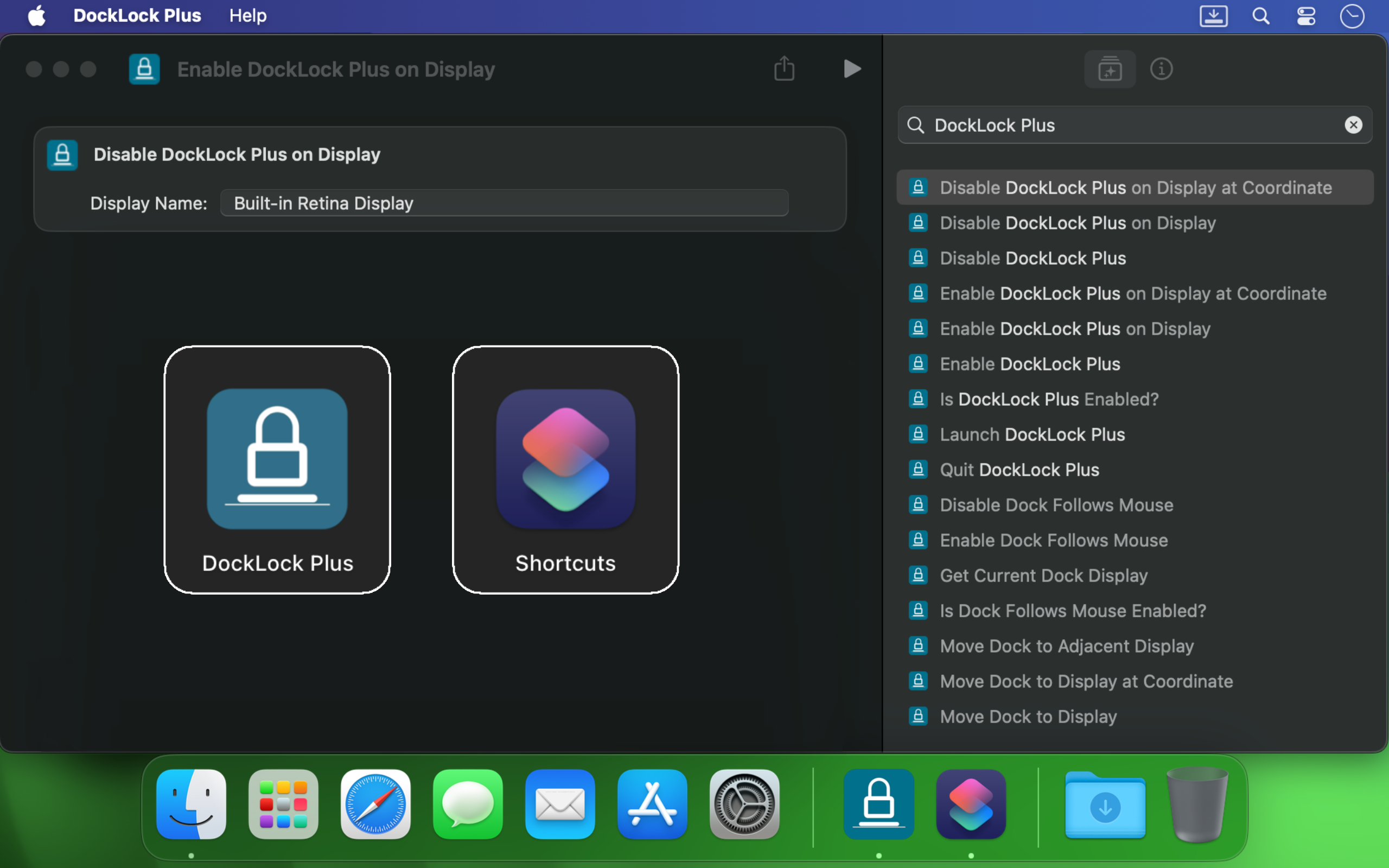
DockLock Plus інтегрується з Apple Командами, викликами URL-схеми, скриптами Термінала, Siri і Raycast, щоб Dock слідував робочому процесу, а не переривав його.
Якщо ви використовуєте кілька моніторів на Mac, Dock може стрибнути в момент, коли курсор торкнеться краю іншого екрана. DockLock це не одноразовий трюк. Це фоновий сервіс, який постійно захищає стабільність Dock з професійною надійністю.
Він корисний розробникам, дизайнерам, доповідачам, стримерам і всім, хто хоче стабільний робочий стіл при переході між екранами.
Створено незалежним розробником
DockLock почався після місяців дослідження проблеми без реальної альтернативи. Це перший у своєму роді застосунок, створений тому, що потрібного інструменту не існувало.
DockLock це результат понад 900 годин самостійного реверс інжинірингу, розробки і тестування Ihor July. Кожна покупка підтримує обслуговування, майбутню сумісність з macOS і оригінальні інструменти, які Apple не створила.
Мій фокус це оригінальні утиліти для macOS, а не копії. Підтримка DockLock фінансує більше перших у своєму роді застосунків. Підтримка роботи, яка копіює замість винаходити, створює лише більше копій.
Застосунки DockLock створені на нативному C++ для продуктивності, тримають налаштування локально і не роблять фонових мережевих запитів у версіях Mac App Store.
Відгуки Mac App Store
Користувачі купують DockLock, бо проблема реальна, давня і досі заважає на сучасних Mac з кількома дисплеями.
★★★★★
We need more indy developers like this
Hands down, one of the best utilities that I came across for MacOS. First thing I install on a new Mac.
★★★★★
2 screens and no hassle.
I run a MBP with an external screen and I was tired of constantly fighting with the dock settings… This app made it invisible !
★★★★★
This is game changer
I'm multi display user and that jumping dock was bothering me since begining of my mac journey. I was forced to use dock on the side which i'm not a fan of because it's far away to the left on my setup and can't fit that much icons as horizontal bottom dock. So thanks to this app I can finally use dock on the bottom, after 8 years of struggle and hoping for fix on every macos release each year. Thank you very much!
★★★★★
Great value considering how much time it saves. Highly recommended!
I've been using dual (and sometimes triple) monitors with macOS for years, and the Dock constantly jumping to whichever screen I brushed the bottom edge of was a real productivity killer. Since I installed DockLock Lite, that annoyance is gone: the Dock stays exactly where I set it on my preferred screen, even when I'm juggling full‑screen apps and screen sharing...
The dev is quick to respond to feedback and has already fixed some stability bugs in recent updates.
★★★★★
Perfect while sharing a monitor
I like this app especially when using Teams and sharing my second monitor 1) People don't get to see the dock 2) They also don't see - while I Command-Tab - the apps I have open
★★★★★
Finally, a solution to one of the most annoying things on MacOS!
If you use a Mac with multiple monitors, DockLock Plus is the essential app you never knew you needed. For years, macOS users have struggled with the Dock unpredictably jumping between screens-a persistent annoyance that Apple never addressed. DockLock Plus finally delivers the seamless, frustration-free multi-monitor experience professionals have been waiting for.
★★★★★
Exceptional tool for an annoying problem
At first glance it might seem that the app pricing is a bit high for "just" keeping the dock locked until you realize that 1. Apple has not fixed this in years. 2. If you have multiple monitors your productivity exceeds the cost of the app. Fantastic tool, does what it advertises and the developer is super responsive and very very helpful.
★★★★★
Do you struggle with your Dock staying put?
Do you struggle with your Dock staying put? If the answer is no, this app isn't for you. But if you've contracted a case of multiple monitors, beware: You're at risk to experience Apple's most hateful "feature", how the Dock hurdles itself to another display the moment your mouse innocently brushes the bottom of another screen like an overeager golden retriever chasing a ball. It's annoying. It's disruptive. It's like macOS is personally attempting to sabotage your carefully arranged windows just to watch your productivity suffer. Thankfully, DockLock Plus has solved this. And for a not unreasonable amount of money, ether. Just buy it. Your windows stay arranged, your workflow stays intact, and you'll have a shred more sanity.
★★★★★
Works perfectly as described
I was searching for something like this for a long time hoping every year Apple would provide this feature out of the box in the new OS but I was disappointed. Until I found this. No more annoying unintended dock appearances on other screens. My favorite part is once you hide the menu bar icon and remove icon from dock, and enable at startup, you simply would never know if something like this exists. Works like a charm
★★★★★
Much Needed Solution to Nuisance Issue
This solves one of those "Why isn't this a native feature of MacOS?" issues. I use a 3 monitor setup...2 large monitors side by side, plus my MBP display below. My dock was having an identity crisis deciding where to live. I wanted it on a specific monitor and not be vertical. I tried various suggestions found online, but this app did what fiddling around with settings couldn't. An elegant solution with plenty of configuration options. I can now force the dock to stay on one specific monitor, or I can allow it to bounce between just the external monitors while avoiding the build in display, or various other combinations. Thank you!
★★★★★
Fantastic!
Works as advertised! I've been trying to fix this problem for so long. Just a note, this works for docking stations too. Not sure if that's clearly stated anywhere. My docking station uses a DisplayLink driver and it all still works. Bravo!
★★★★★
Finally the dock works as it should!
So many years waiting for Apple to fix this. Now I can finally rest the dock on the bottom of my laptop's screen without it moving to the external screen, which happens frequently when placing the dock at the bottom and using the external screen on top of the smaller one (which is the best way to use it, IMHO, when you want to use both a small one from the laptop and a big one). This paid version allows dockLock to work with the dock hidden, which is also my preferred way to use it - but so impractical when we couldn't prevent it to be moved to the external screen. Works like a charm.
★★★★★
Best quality of life app EVER!
It blows my mind that this is not something that is natively able to be done on via the Mac's internal interface. However, this app is the BEST! A lot of the software I am using requires my mouse to be almost at the bottom of the screen, which would always cause the Dock to jump in the way of what I was working on. I love that I can set it on the single screen that I want it on (out of the 4 monitors I am using) and it no longer gets in the way. My productivity has increased. Everyone who has a Mac needs this app!
★★★★★
Every single Mac should automatically come with this app pre-installed
The Mac Dock's random jumping between screens has been a persistent source of frustration for countless macOS users over the years. It occurs frequently, disrupting focus and productivity during work. Despite numerous complaints, Apple has consistently disregarded customer feedback. To address this issue, Apple should acquire DockLock, ensuring its pre-installation on every Mac. DockLock is not a luxury but a necessity, and its inclusion would significantly enhance the user experience.
★★★★★
Hurrah!
Working with two monitors just got so much better! No more accidentally moving the cursor to the bottom of the second screen and watching the Dock unexpectedly jump over. The bottom edge of my secondary screen is no longer a danger zone 😂. At the same time, if I do want to move the Dock, I can do it easily with a special key, or even lock it to the secondary monitor if that's what I prefer. Finally, I feel in control! 💪
★★★★★
Work very well
My setup is 2-monitor vertically stacked: main 5K monitor and an iPad Pro 13 just below it, with wired sidecar. The jumping dock has always been a nuisance. With this App, the dock stays on main monitor when sidecar is off, and stays on sidecar iPad as soon as I connect it. Perfect. Immediately bought the plus version. Well done!
★★★★★
Indispensable
This is a small and really nice utility. If you work with multiple monitors, you tend to keep your Dock at the bottom of the screen. MacOS has this unnerving feature that, once you hit the bottom part of any screen with the mouse, it will move the Dock to that screen. This utility will stop MacOS from doing that every time. I waited a long time for a utility like this! Thumbs up!!
★★★★★
Finally we have a solution!
After years of struggling with this issue specially during screen sharing where the dock would just pop up when hovering over screen bottom, I am happy to say we have a fix in the form of DockLock. I had written feedback to apple numerous times on how annoying this was & they should fix it.
Інші застосунки macOS з пріоритетом приватності
DockLock є частиною невеликої сім'ї практичних Mac утиліт, побудованих навколо локального контролю, простої мови і без зайвих фонових сервісів.
Прочитайте важливі нотатки перед покупкою, отримайте допомогу з розташуванням дисплеїв або зверніться в підтримку з версією macOS і деталями відтворення.