DockLock Lite
基本機能は無料。追加機能はサブスクリプションのみ。
クレジットカード不要で 7 日間フル試用できる集中型エディションです。終了後も基本の Dock 固定は無料です。修飾キーのホットキー、Dock アイコンの削除、メニューバーアイコンの非表示にはサブスクリプションが必要です。
試用後も基本は無料有料の修飾キーホットキー有料のアイコン非表示macOS 10.9 以降
Mac App Store で入手  DockLock
 DockLock は、複数のディスプレイで Dock の表示位置を制御できる、ダウンロード可能な macOS ユーティリティです。
Dock を好みの画面に固定し、画面共有中も安定させ、スリープ解除、ディスプレイ変更、接続イベント後も賢く動作させます。
OS X Mavericks 10.9 以降に対応しています。この問題が長く放置されてきたことへの小さな抗議でもあります。DockLock は影響を受けるすべての macOS 世代で Dock の移動問題を解決します。
ポインタを見失うと、見つけるまでマウスを動かすのが自然です。複数ディスプレイの Mac では、その動きが別の画面の下端に触れて、Dock が意図しないディスプレイへ移動することがあります。
ビルド 616 以降、DockLock は追加の権限なしで、Dock がディスプレイ間を意図せず移動するのを防ぎます。任意の "デバイスの制御とデータアクセス" 権限を許可すると、Dock ロックの安定性が向上する場合があります。
マウスを追跡するユーティリティは、実際の使用中も効率的であってこそバックグラウンドで動かす価値があります。DockLock は低レベルのネイティブ C++ でイベントを処理し、各マウスイベントで必要最小限の処理だけを行い、不要なシステム呼び出しを避けます。
私自身の比較では、他の複数のマウス追跡ユーティリティは、ポインタの移動中に 20 倍から 80 倍多く CPU を使用しました。この主張をそのまま信じる必要はありません。macOS で DockLock プロセスの使用量をリアルタイムに確認できます。
ターミナルで自分で測定
sudo powermetrics --samplers tasks --show-process-energy | grep -i "DockLock"DockLock を起動してロックを有効にし、マウスを動かし続けながら DockLock の行を確認してください。macOS のバージョンによって列順が異なるため、プロセス表の見出しで CPU 列を確認してください。
詳しいテスト方法を読むDockLock には Lite、Plus、Pro の各エディションがあります。Lite は基本機能に特化した完全サンドボックス版で、有料機能はサブスクリプションでのみ利用できます。Plus は一度の購入で自動化機能と永続ライセンスを提供します。Pro は App Store の制限を超えて Dock の配置を制御するための、今後提供予定のウェブサイト限定版です。
DockLock Lite の試用期間終了後も、基本の Dock 固定は無料のままです。修飾キーのホットキー、Dock アイコンの削除、メニューバーアイコンの非表示にはサブスクリプションが必要です。
基本機能は無料。追加機能はサブスクリプションのみ。
クレジットカード不要で 7 日間フル試用できる集中型エディションです。終了後も基本の Dock 固定は無料です。修飾キーのホットキー、Dock アイコンの削除、メニューバーアイコンの非表示にはサブスクリプションが必要です。

自動化。一度の購入で永続ライセンス。
自動化を求める上級者向けに、一度の購入で永続ライセンスを提供します。Apple ショートカット、URL スキーム制御、コマンドライン対応、Raycast、より賢い Dock 動作を追加します。サブスクリプションは不要です。

App Store の制限を超える Dock 配置を解放。
App Store の制限を超える配置のための今後のウェブサイト版です。サイド Dock を移動し、隠れたレイアウトを解放し、Dock が置ける場所を制御します。
| 機能 | Lite | Plus | Pro |
|---|---|---|---|
| Dock を選んだモニターに固定 | はい | はい | はい |
| 会議や画面共有中に Dock を隠す | はい | はい | はい |
| Dock の移動を許可するモニターを指定 | はい | はい | はい |
| スリープ解除や画面変更後に自動で戻す | はい | はい | はい |
| Dock を一時的に移動する修飾キーホットキー | サブスクリプション | はい | はい |
| Dock アイコンを削除 | サブスクリプション | はい | はい |
| メニューバーアイコンを隠す | サブスクリプション | はい | はい |
| Mac App Store ファミリー共有 | はい | はい | - |
| 完全にサンドボックス化された Mac App Store 版 | はい | はい | - |
| Dock がマウス、アクティブウィンドウ、アプリに追従 | - | はい | はい |
| Apple ショートカットと Siri 制御 | - | はい | はい |
| URL スキーム自動化 | - | はい | はい |
| コマンドラインインターフェイス | - | はい | はい |
| 公式 Raycast 拡張 | - | はい | はい |
| 任意の画面端に Dock を配置 | - | - | はい |
| 縦 Dock をディスプレイ間で移動 | - | - | はい |
| ディスプレイごとの Spaces が無効でも動作 | - | - | はい |
| ウィンドウのために Dock 周辺の空間を解放 | - | - | はい |
Pro プロトタイプは固定を超えます。実行中の本物の macOS Dock を制御し、サイド位置に対応し、縦 Dock を任意のディスプレイへ移動し、ウィンドウのために Dock 周辺の空間を解放します。永続的なシステム設定を書き込まず、SIP を無効にする必要もありません。
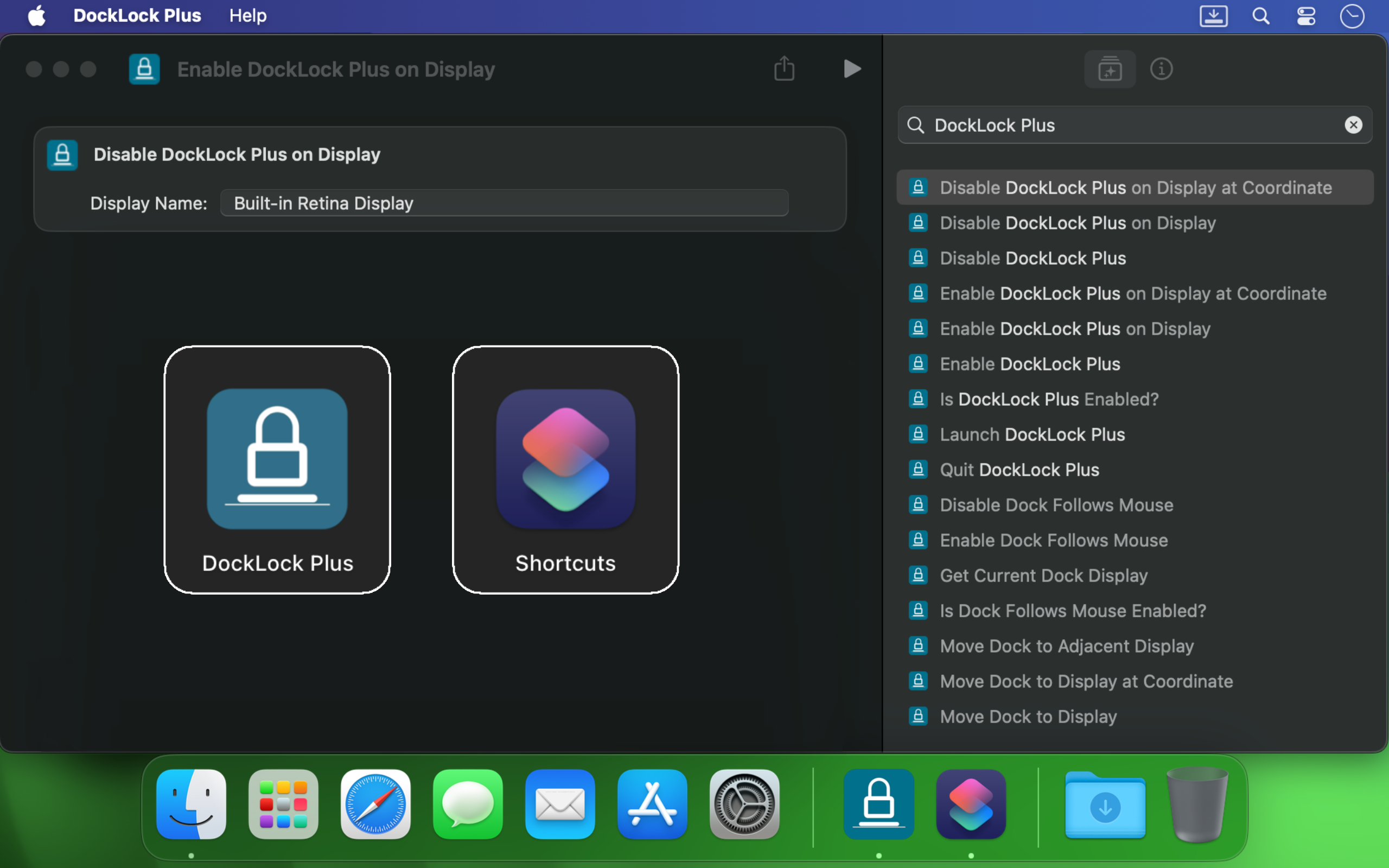
DockLock Plus は Apple ショートカット、URL スキーム呼び出し、ターミナルスクリプト、Siri、Raycast と統合し、Dock が作業を妨げるのではなくワークフローに従うようにします。
Mac で複数モニターを使うと、カーソルが別の画面端に触れた瞬間に Dock が移動することがあります。DockLock は一度きりの小技ではありません。Dock の安定性をプロ品質の信頼性で継続的に守るバックグラウンドサービスです。
開発者、デザイナー、発表者、配信者、そして画面間を移動しても安定したデスクトップを望むすべての人に役立ちます。
DockLock は、本当の代替手段がない問題を数か月調査したことから始まりました。必要な道具が存在しなかったために作られた、同種初のアプリです。
DockLock は Ihor July が一人で 900 時間以上かけてリバースエンジニアリング、開発、テストした成果です。すべての購入が、保守、将来の macOS 対応、Apple が作らなかった独創的なツールを支えます。
私の焦点はコピーではなく、独創的な macOS ユーティリティです。DockLock を支援すると、同種初のアプリがさらに生まれます。発明せずコピーする仕事を支援すると、増えるのはコピーだけです。
DockLock アプリは性能のためにネイティブ C++ で作られ、設定はローカルに保存され、Mac App Store 版ではバックグラウンドのネットワーク要求を行いません。
DockLock が購入されるのは、この問題が現実で、古く、現代のマルチディスプレイ Mac でもまだ作業を妨げるからです。
I have to be honest this app is amazing if you have multiple displays. I have not had any problems since using this app
Love this little app. When you work in audio or video tech, and you have many screens as part of your workflow, the dock shouldn’t hop around with you. Totally breaks the flow. This app fixes that and THEN some. I normally wouldn’t pay for something like this, but since Apple doesn’t seem to want to provide this customization, I’ll happily pay a dev. Woo!
Hands down, one of the best utilities that I came across for MacOS. First thing I install on a new Mac.
I run a MBP with an external screen and I was tired of constantly fighting with the dock settings… This app made it invisible !
I'm multi display user and that jumping dock was bothering me since begining of my mac journey. I was forced to use dock on the side which i'm not a fan of because it's far away to the left on my setup and can't fit that much icons as horizontal bottom dock. So thanks to this app I can finally use dock on the bottom, after 8 years of struggle and hoping for fix on every macos release each year. Thank you very much!
I've been using dual (and sometimes triple) monitors with macOS for years, and the Dock constantly jumping to whichever screen I brushed the bottom edge of was a real productivity killer. Since I installed DockLock Lite, that annoyance is gone: the Dock stays exactly where I set it on my preferred screen, even when I'm juggling full‑screen apps and screen sharing... The dev is quick to respond to feedback and has already fixed some stability bugs in recent updates.
I like this app especially when using Teams and sharing my second monitor 1) People don't get to see the dock 2) They also don't see - while I Command-Tab - the apps I have open
If you use a Mac with multiple monitors, DockLock Plus is the essential app you never knew you needed. For years, macOS users have struggled with the Dock unpredictably jumping between screens-a persistent annoyance that Apple never addressed. DockLock Plus finally delivers the seamless, frustration-free multi-monitor experience professionals have been waiting for.
At first glance it might seem that the app pricing is a bit high for "just" keeping the dock locked until you realize that 1. Apple has not fixed this in years. 2. If you have multiple monitors your productivity exceeds the cost of the app. Fantastic tool, does what it advertises and the developer is super responsive and very very helpful.
Do you struggle with your Dock staying put? If the answer is no, this app isn't for you. But if you've contracted a case of multiple monitors, beware: You're at risk to experience Apple's most hateful "feature", how the Dock hurdles itself to another display the moment your mouse innocently brushes the bottom of another screen like an overeager golden retriever chasing a ball. It's annoying. It's disruptive. It's like macOS is personally attempting to sabotage your carefully arranged windows just to watch your productivity suffer. Thankfully, DockLock Plus has solved this. And for a not unreasonable amount of money, ether. Just buy it. Your windows stay arranged, your workflow stays intact, and you'll have a shred more sanity.
I was searching for something like this for a long time hoping every year Apple would provide this feature out of the box in the new OS but I was disappointed. Until I found this. No more annoying unintended dock appearances on other screens. My favorite part is once you hide the menu bar icon and remove icon from dock, and enable at startup, you simply would never know if something like this exists. Works like a charm
This solves one of those "Why isn't this a native feature of MacOS?" issues. I use a 3 monitor setup...2 large monitors side by side, plus my MBP display below. My dock was having an identity crisis deciding where to live. I wanted it on a specific monitor and not be vertical. I tried various suggestions found online, but this app did what fiddling around with settings couldn't. An elegant solution with plenty of configuration options. I can now force the dock to stay on one specific monitor, or I can allow it to bounce between just the external monitors while avoiding the build in display, or various other combinations. Thank you!
Works as advertised! I've been trying to fix this problem for so long. Just a note, this works for docking stations too. Not sure if that's clearly stated anywhere. My docking station uses a DisplayLink driver and it all still works. Bravo!
So many years waiting for Apple to fix this. Now I can finally rest the dock on the bottom of my laptop's screen without it moving to the external screen, which happens frequently when placing the dock at the bottom and using the external screen on top of the smaller one (which is the best way to use it, IMHO, when you want to use both a small one from the laptop and a big one). This paid version allows dockLock to work with the dock hidden, which is also my preferred way to use it - but so impractical when we couldn't prevent it to be moved to the external screen. Works like a charm.
It blows my mind that this is not something that is natively able to be done on via the Mac's internal interface. However, this app is the BEST! A lot of the software I am using requires my mouse to be almost at the bottom of the screen, which would always cause the Dock to jump in the way of what I was working on. I love that I can set it on the single screen that I want it on (out of the 4 monitors I am using) and it no longer gets in the way. My productivity has increased. Everyone who has a Mac needs this app!
The Mac Dock's random jumping between screens has been a persistent source of frustration for countless macOS users over the years. It occurs frequently, disrupting focus and productivity during work. Despite numerous complaints, Apple has consistently disregarded customer feedback. To address this issue, Apple should acquire DockLock, ensuring its pre-installation on every Mac. DockLock is not a luxury but a necessity, and its inclusion would significantly enhance the user experience.
Working with two monitors just got so much better! No more accidentally moving the cursor to the bottom of the second screen and watching the Dock unexpectedly jump over. The bottom edge of my secondary screen is no longer a danger zone 😂. At the same time, if I do want to move the Dock, I can do it easily with a special key, or even lock it to the secondary monitor if that's what I prefer. Finally, I feel in control! 💪
My setup is 2-monitor vertically stacked: main 5K monitor and an iPad Pro 13 just below it, with wired sidecar. The jumping dock has always been a nuisance. With this App, the dock stays on main monitor when sidecar is off, and stays on sidecar iPad as soon as I connect it. Perfect. Immediately bought the plus version. Well done!
This is a small and really nice utility. If you work with multiple monitors, you tend to keep your Dock at the bottom of the screen. MacOS has this unnerving feature that, once you hit the bottom part of any screen with the mouse, it will move the Dock to that screen. This utility will stop MacOS from doing that every time. I waited a long time for a utility like this! Thumbs up!!
After years of struggling with this issue specially during screen sharing where the dock would just pop up when hovering over screen bottom, I am happy to say we have a fix in the form of DockLock. I had written feedback to apple numerous times on how annoying this was & they should fix it.
DockLock は、ローカル制御、わかりやすい言葉、不要なバックグラウンドサービスなしを軸にした実用的な Mac ユーティリティ群の一部です。

アプリをその場でアーカイブしたり、インストール済みアプリを最適化したり、ZIP や DMG のバックアップを作成して、ディスク容量を長期間確保できます。アーカイブしたアプリは簡単に見つけて復元できます。

専用アプリショートカットを作成し、それぞれ独自のデータフォルダ、プロファイル、環境変数、コマンドライン引数を持つ完全に分離したインスタンスを起動できます。任意のショートカットにオプションのメニューアイコンも追加できます。

Mac アプリを開く前に確認します。署名、サンドボックス化、プライバシー権限、ネットワークアクセス、内部ヘルパー、その他の macOS セキュリティシグナルを Finder の Quick Look 拡張を含めてわかりやすく説明します。

所有者メモ、資産ラベル、共有 Mac、テスト機のためのプレーンテキストのロック画面メッセージを作成します。表示メッセージと下にスクロールした詳細をプレビューし、macOS システム設定用のテキストをコピーできます。
購入前に重要な設定メモを読み、ディスプレイ配置のヘルプを受け取り、macOS バージョンと再現手順を添えて直接サポートへ連絡できます。